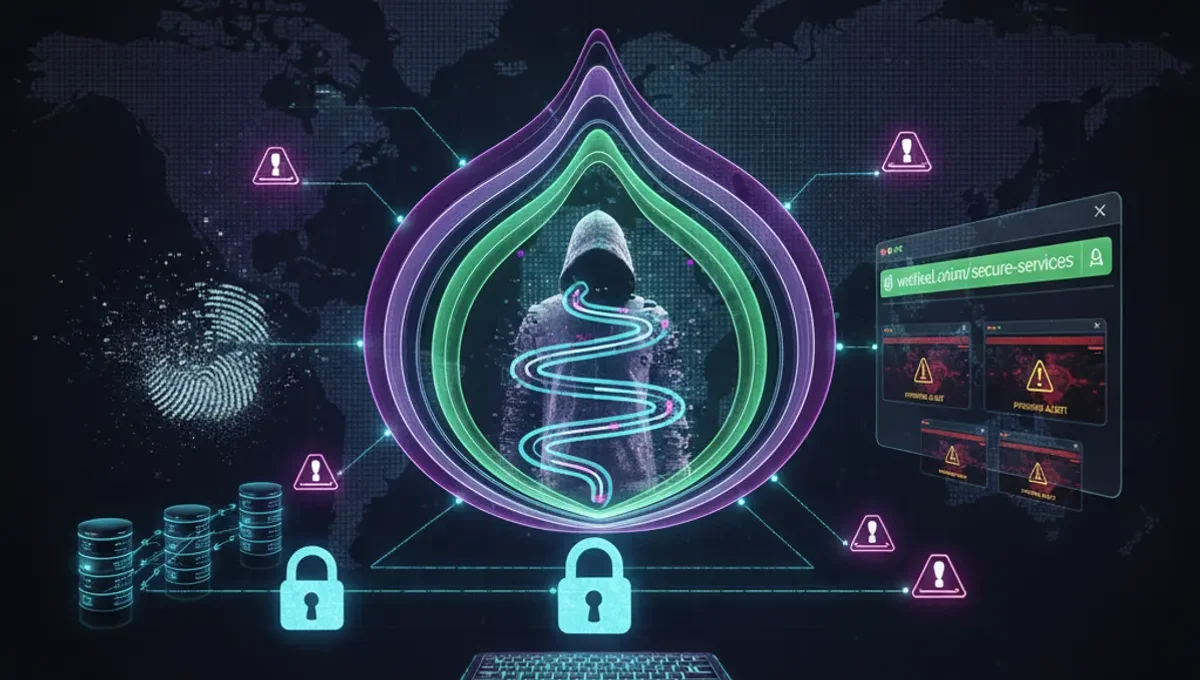
What Makes a Dark Website Good
A good dark website demonstrates consistent operation, transparent communication with users, and verifiable identity through cryptographic means. Legitimate onion services typically publish their v3 addresses on multiple channels—official documentation, mirrors, or community forums—so users can cross-reference and confirm authenticity. They maintain clear terms of service, document their infrastructure practices, and respond to security reports. Good sites avoid frequent address changes without explanation, do not demand upfront payments for basic access, and do not employ aggressive marketing tactics. The site's purpose is explicit: whether it provides news, communication tools, or other services, the function is stated plainly. Operators of good dark websites understand that reputation on Tor depends on reliability and honesty, not volume of users.
How to Verify an Onion Address
Verification begins with cross-referencing the onion address across independent sources. Check the official project documentation, GitHub repositories, or the site's clearnet mirror if one exists. Look for PGP signatures accompanying the address announcement; verify the signature against the project's published key using command-line tools like GPG. A legitimate v3 onion address is 56 characters long and uses the format [a-z2-7]{56}.onion. Phishing clones typically use similar but subtly different addresses, so character-by-character comparison is essential. Visit the site through the Tor Browser, not through clearnet proxies or third-party gateways. Check for HTTPS certificates and examine the certificate details; legitimate onion sites often use self-signed certificates, which is normal. If the address appears on Reddit or forums, verify it against the official source before trusting it, as community discussions frequently contain outdated or fraudulent links.
Identifying Phishing Clones and Fraud
Phishing clones are fake copies of legitimate onion sites designed to steal credentials, cryptocurrency, or personal data. They typically appear identical to the original but use a slightly altered address—for example, substituting a '1' for an 'l' or using a similar-looking character. Red flags include: requests for passwords or sensitive information that the legitimate site does not ask for, missing or broken features present on the real site, different page load times or server responses, and absence of the site operator's PGP signature. Fraudulent sites often have poor grammar, outdated design, or inconsistent branding. If you suspect a clone, do not enter credentials or send funds. Instead, verify the address against official sources and report the fraudulent site to the legitimate operator if contact information is available. Use the Tor Browser's built-in security features and keep it updated to reduce exposure to known phishing techniques.
Understanding v3 Onion Addresses
Version 3 (v3) onion addresses are the current standard for Tor hidden services, replacing the older v2 format. A v3 address is 56 characters long and uses base32 encoding of the service's public key. The longer format provides stronger cryptographic security and makes address spoofing significantly more difficult than with v2 addresses. V3 addresses are permanent; they do not change unless the site operator deliberately regenerates the key. This permanence is a security feature—users can bookmark and verify addresses with confidence. When evaluating a dark website, confirm that it uses a v3 address; v2 addresses are deprecated and should not be trusted for new services. The address itself encodes the site's identity, so the cryptographic properties of v3 ensure that only the legitimate operator can serve content at that address. Understanding this distinction helps users avoid confusion when encountering outdated links or fraudulent sites claiming to be newer versions of old services.
Common Mistakes That Compromise Anonymity
Users accessing dark websites often compromise their anonymity through operational security failures rather than technical vulnerabilities. Maximizing the Tor Browser window to full screen reveals your monitor resolution to websites, enabling fingerprinting. Disabling JavaScript or using browser plugins can leak your real IP address or identify you through unique configurations. Logging into clearnet accounts while using Tor defeats anonymity; the account itself becomes a persistent identifier. Downloading files without understanding their origin or contents can expose you to malware or tracking. Using the same username across multiple onion sites creates a linkable identity. Visiting sites through clearnet proxies or VPN services instead of Tor Browser introduces additional points of failure. Enabling plugins or extensions in Tor Browser increases the attack surface. The most critical mistake is assuming that accessing a site through Tor makes you anonymous without considering your own behavior and the information you voluntarily provide.
Comparing Tor, VPN, and I2P for Accessing Dark Websites
Tor, VPN, and I2P are distinct technologies with different threat models and use cases. Tor routes traffic through multiple relays operated by volunteers, providing strong anonymity for accessing onion services and clearnet sites. The Tor network is designed specifically for anonymity and is the only way to access .onion addresses. A VPN encrypts traffic and routes it through a single provider's server; it does not provide access to onion services and relies on the VPN provider's trustworthiness. I2P is a decentralized network similar to Tor but designed primarily for internal communication rather than accessing external sites. For accessing good dark websites, Tor Browser is the appropriate tool because it handles onion routing, provides security defaults, and integrates with the Tor network. Using a VPN in addition to Tor does not increase anonymity and may degrade performance or introduce new vulnerabilities. I2P can be used for accessing I2P-specific services but is not necessary for Tor onion sites.
Best Practices for Safe Dark Web Browsing
Safe browsing of dark websites requires deliberate operational security practices. Keep the Tor Browser updated to the latest version; security patches are released regularly and should be applied immediately. Do not maximize the browser window; use a standard window size to avoid fingerprinting. Disable JavaScript in the Tor Browser security settings if you do not need it for a specific site. Never download files unless you understand their source and purpose; use a dedicated virtual machine or isolated environment for untrusted downloads. Do not enable browser plugins or extensions. Use strong, unique passwords for each onion site account and consider using a password manager. Enable HTTPS when available and verify certificate details. Do not assume that a site is legitimate because it appears on Reddit or other forums; verify against official sources. If a site requests information you do not want to provide, do not provide it. Assume that any site operator can see your username, IP address (as seen through Tor), and browsing behavior on their site. Treat dark websites with the same skepticism you would apply to any online service.
Frequently asked questions
How do I know if a dark website is legitimate
Verify the onion address against official sources, check for PGP signatures, and cross-reference across multiple channels. Legitimate sites maintain consistent addresses, publish documentation, and do not employ aggressive marketing. Check the site's purpose and terms of service; good dark websites are transparent about what they do and how they operate.
What is the difference between a v2 and v3 onion address
V2 addresses are 16 characters and use older cryptography; they are deprecated. V3 addresses are 56 characters and provide stronger security. V3 addresses are permanent and encode the site's public key, making spoofing much harder. Use only v3 addresses for new services; v2 addresses should not be trusted.
Can I use a VPN to access dark websites instead of Tor
No. A VPN does not provide access to .onion addresses and does not offer the same anonymity guarantees as Tor. VPNs route traffic through a single provider, creating a single point of failure. Tor Browser is the correct tool for accessing onion services because it integrates with the Tor network and provides security defaults.
How do I avoid phishing clones on the dark web
Verify addresses character-by-character against official sources before visiting. Check for PGP signatures accompanying address announcements. Look for missing features, poor grammar, or design inconsistencies. Do not trust addresses from Reddit or forums without confirming them against the official site. Use the Tor Browser's security features and keep it updated.
What mistakes compromise my anonymity when using Tor
Maximizing your browser window, enabling plugins, logging into clearnet accounts, using the same username across sites, and downloading files without understanding their source all compromise anonymity. Assume that site operators can see your username and behavior. Keep the Tor Browser window at standard size, disable JavaScript if not needed, and use unique identities for different services.