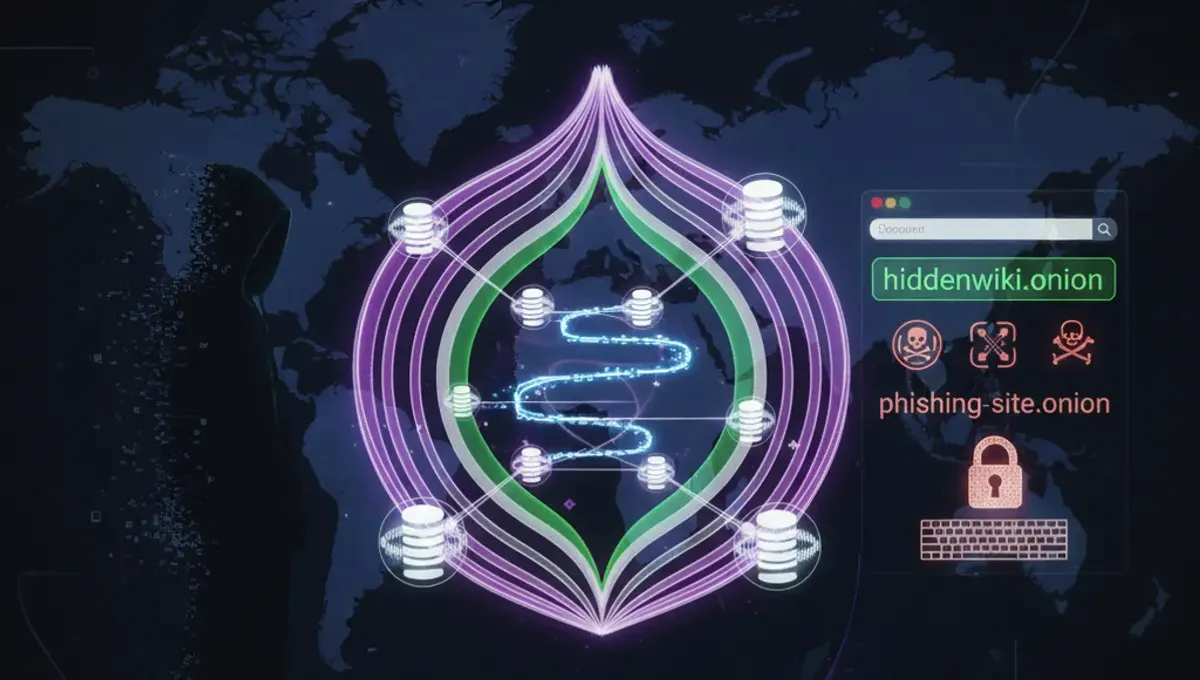
What Are Tor Website Links and How Do They Work
Tor website links, also called onion addresses, are cryptographic identifiers that point to hidden services on the Tor network. Unlike standard URLs, onion addresses are derived from the public key of the hidden service itself, making them difficult to forge or redirect. When you access a .onion site through Tor Browser, your connection is routed through multiple relays, and the server's location remains hidden. The address format changed from v2 (16 characters) to v3 (56 characters) to improve security and resist certain attacks. Each onion address is unique to its service and cannot be registered or transferred like a domain name. The address is generated by the service operator and remains constant as long as the service exists. This cryptographic binding between address and service is what makes onion links fundamentally different from traditional web addresses.
Where to Find Legitimate Tor Website Links
Legitimate tor website links are distributed through several channels. Official project documentation and announcements from service operators are the most reliable sources. Many onion services publish their addresses on clearnet mirrors or social media accounts, often with PGP signatures to verify authenticity. Community forums and discussion platforms dedicated to Tor sometimes maintain curated lists, though these require careful verification. Search engines designed for onion content exist but vary widely in reliability and index coverage. The Hidden Wiki, a community-maintained reference, aggregates links to various onion services organized by category. Reddit communities focused on Tor and privacy sometimes share verified links, though user-submitted content carries higher fraud risk. Direct communication with service operators through verified channels is the safest method. Always cross-reference links from multiple independent sources before accessing them, and verify PGP signatures when available to confirm authenticity.
How to Verify Onion Addresses and Detect Phishing Clones
Verifying onion addresses requires multiple steps to avoid phishing clones and fraudulent mirrors. First, check the full address character by character, as phishing sites often use similar-looking characters or slight variations. Legitimate services publish their official onion address prominently and consistently across all their communication channels. PGP signatures provide cryptographic proof of authenticity; if a service publishes a signed statement containing their onion address, verify the signature against their public key through official channels. Look for HTTPS certificates within Tor Browser, though these are less common for onion services since the .onion protocol provides encryption by default. Check the service's clearnet website or official social media for the canonical onion address. Compare the address you're visiting against multiple independent sources to spot discrepancies. Be suspicious of addresses that appear in unsolicited messages or advertisements. Legitimate onion services rarely change their addresses, so if an address suddenly differs from previous visits, investigate before proceeding. Some services publish their v3 address format explicitly to help users distinguish legitimate versions from outdated v2 clones.
Understanding V3 Onion Addresses and Security Improvements
V3 onion addresses represent a significant security upgrade from the older v2 format. V3 addresses are 56 characters long compared to v2's 16 characters, providing substantially stronger cryptographic protection against brute-force attacks and address forgery. The longer format makes it computationally infeasible to generate a v3 address that matches a target pattern, whereas v2 addresses were vulnerable to this attack vector. V3 addresses use improved cryptographic algorithms and include additional security features designed to resist future attacks. The transition from v2 to v3 began around 2019, and many services have migrated or run both versions. When choosing between a v2 and v3 address for the same service, the v3 address is more secure and should be preferred. V3 addresses are not backward compatible with older Tor Browser versions, so users must update their browser to access them. The longer address format also makes v3 addresses less convenient to share verbally or in print, but this inconvenience is offset by the security benefits. Services still operating v2 addresses should be considered legacy; operators who have not migrated may not be maintaining security updates actively.
Common Mistakes That Compromise Onion Address Verification
Several common mistakes lead users to access fraudulent onion sites instead of legitimate ones. Trusting onion links from unverified sources without cross-referencing is the most frequent error. Failing to verify PGP signatures when they are available leaves users vulnerable to man-in-the-middle attacks. Bookmarking onion addresses without verifying them first can result in repeated visits to phishing clones if the bookmark was created from a fraudulent link. Assuming that an onion address is legitimate simply because it appears in search results or community forums ignores the fact that these sources can be compromised or manipulated. Ignoring slight variations in address format, such as confusing similar characters, is particularly dangerous with v2 addresses. Accessing onion links from shortened URLs or redirects obscures the actual destination address and prevents verification. Failing to update Tor Browser leaves users unable to access v3 addresses and exposes them to known vulnerabilities. Trusting onion mirrors without verifying them against the official service's announcement channels is a common vector for phishing attacks. Not checking whether a service has published multiple official addresses or has deprecated older versions can lead to accessing outdated or abandoned clones.
How Onion Indexes and Search Engines Work
Onion search engines and indexes crawl .onion addresses to create searchable databases of hidden services. These tools work similarly to clearnet search engines but face unique challenges due to the Tor network's design. Crawlers must connect through Tor, which is slower than clearnet crawling and limits the frequency of updates. Many onion services deliberately block automated crawlers to maintain privacy or prevent their addresses from being indexed. Search results vary significantly between different onion indexes because they have different crawling policies, update frequencies, and inclusion criteria. Some indexes are maintained by individuals or small teams and may contain outdated or fraudulent listings. Verification of search results is essential, as indexes cannot guarantee the legitimacy of the services they list. The quality and comprehensiveness of onion indexes is generally lower than clearnet search engines due to these technical and policy constraints. Some indexes require manual submission of onion addresses rather than relying on automated crawling. Using multiple independent indexes and cross-referencing results improves the reliability of your search. Official project announcements and PGP-signed statements remain more trustworthy than search engine results for verifying onion addresses.
Best Practices for Safely Accessing Tor Website Links
Safe access to tor website links requires deliberate practices at every step. Keep Tor Browser updated to the latest version to ensure you have current security patches and can access v3 addresses. Verify onion addresses through multiple independent sources before accessing them for the first time. Enable the highest security level in Tor Browser's settings to disable JavaScript and other potentially dangerous features. Do not maximize your browser window, as this can reveal your screen resolution and compromise anonymity. Disable plugins and extensions unless absolutely necessary, as they can bypass Tor and leak your real IP address. Use separate Tor Browser instances for different activities to prevent cookie-based tracking across services. Never open documents downloaded from onion services in your main operating system without scanning them first. Assume that any onion service could be a phishing clone or honeypot, and avoid entering personal information. Use PGP encryption for sensitive communications on onion services when available. Document the official onion address of services you use regularly and verify it periodically to detect if you've been redirected to a clone. Consider using a dedicated virtual machine for Tor Browser to isolate it from your main system.
Frequently asked questions
How do I know if a tor website link is real or a phishing clone
Verify the address through multiple independent official sources, check for PGP signatures from the service operator, and compare the full address character by character against known legitimate versions. Cross-reference the address on the service's clearnet website and official social media accounts. Phishing clones often use slightly altered characters or appear in unsolicited messages. If an address suddenly differs from your previous visits, investigate before proceeding.
What is the difference between v2 and v3 onion addresses
V2 addresses are 16 characters long and use older cryptography vulnerable to brute-force attacks. V3 addresses are 56 characters long and use improved algorithms resistant to address forgery and future attacks. V3 is more secure and should be preferred when available. V3 addresses require updated Tor Browser and are not compatible with older versions. Most active services have migrated to v3 or run both versions.
Can I trust onion links found in search results or forums
Onion search results and forum links should be treated as starting points, not verified sources. Cross-reference any address against official project announcements and PGP-signed statements. Search indexes may contain outdated, fraudulent, or abandoned listings. Community forums can be compromised or manipulated. Always verify through multiple independent channels before accessing a service for the first time.
What should I do if I suspect I've accessed a phishing clone
Stop using that address immediately and do not enter any personal information. Verify the correct address through official channels and PGP signatures. Report the fraudulent address to the legitimate service operator if they provide a reporting mechanism. Clear your Tor Browser cache and cookies related to that address. Use a fresh Tor Browser instance to access the verified legitimate address.
Why do some onion services have multiple addresses
Services may publish multiple addresses for redundancy, to provide both v2 and v3 versions during migration, or to maintain separate addresses for different purposes. Official services clearly document which addresses are current and which are deprecated. Using an outdated address may connect you to an abandoned clone or phishing site. Always check the service's official announcement for the current canonical address.